Help+Manual is available in 3 different editions: Basic, Professional and Floating.
The Basic Edition has a reduced set of features.
Professional and Floating just differ by the licensing model: floating licenses are not bound to a particular computer.
Please click on the  button to display a screen shot and a more detailed description of the feature.
| General Features | Floating | Pro | Basic | |
| Individual license per workstation You install Help+Manual on a local computer, not on a server. A second installation of the same license on a laptop (if used by the same person) is possible and permitted. Per-seat licenses don't run on a terminal server. |
||||
| Concurrent Use Floating licenses are not bound to a particular workstation, they are shared among multiple users. For offline use, floating licenses can be checked out and pinned for offline use up to 8 days. Note: If you are running Help+Manual on a Terminal Server workstation, a Floating license is required. |
||||
| Multi-user editing Multiple users can work on the same project at the same time. No special server software is required. |
||||
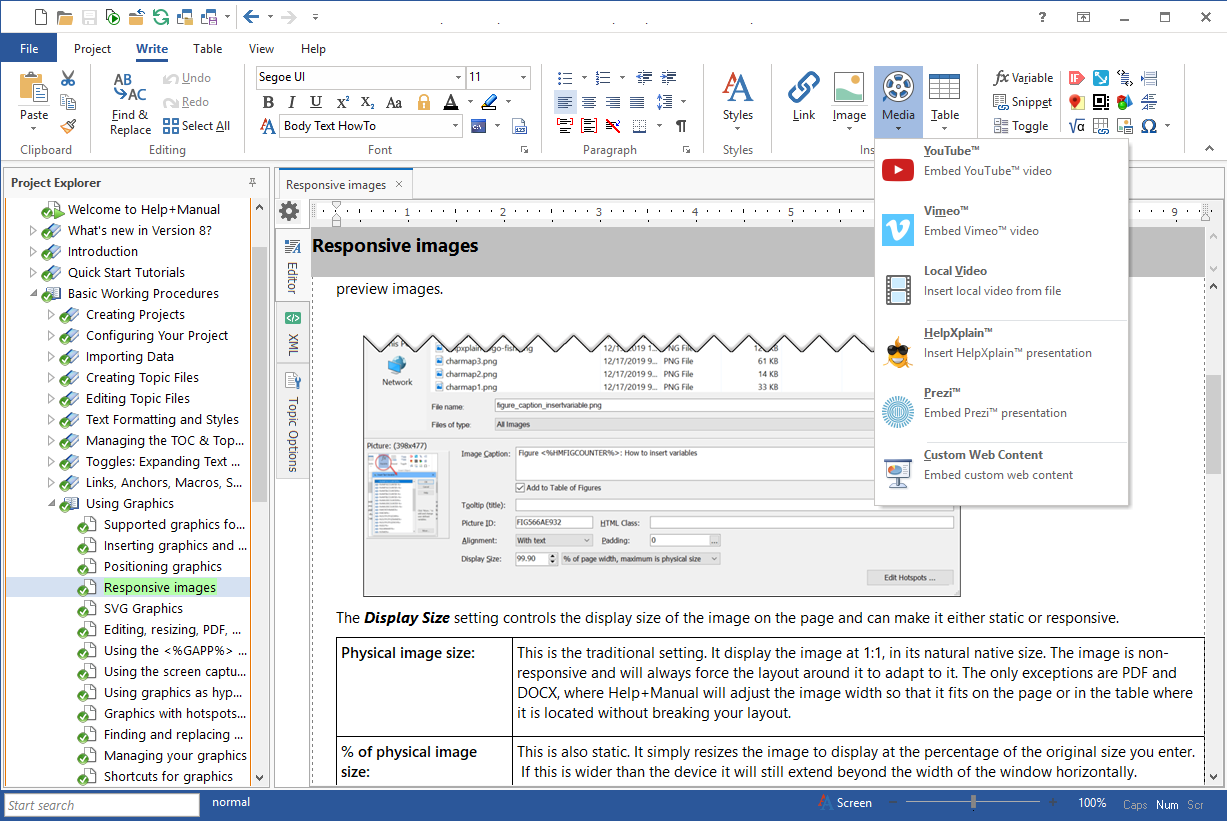
| WYSIWYG XML Editor Help+Manual is a WYSIWYG XML editor that feels like Word. You don't need to know anything about XML to work with it. |
 | |||
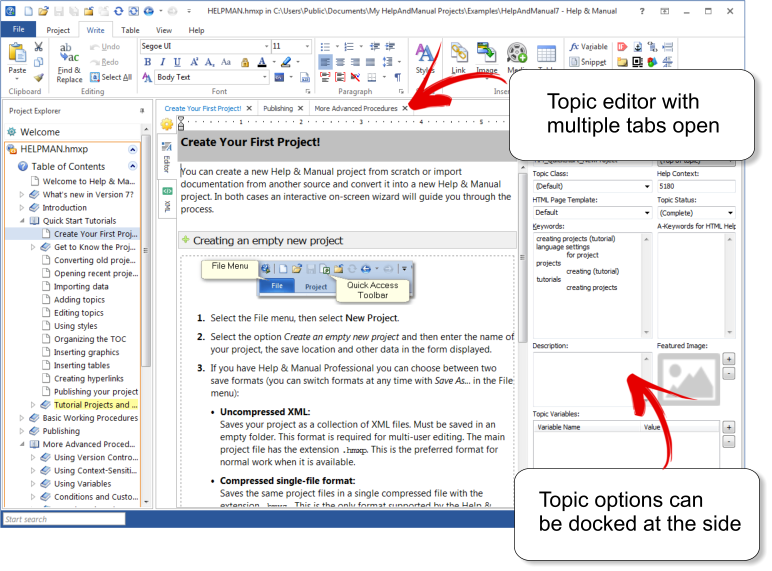
| Tabbed Editors Open multiple topics simultaneously in tabs to edit them comfortably side by side. |
 | |||
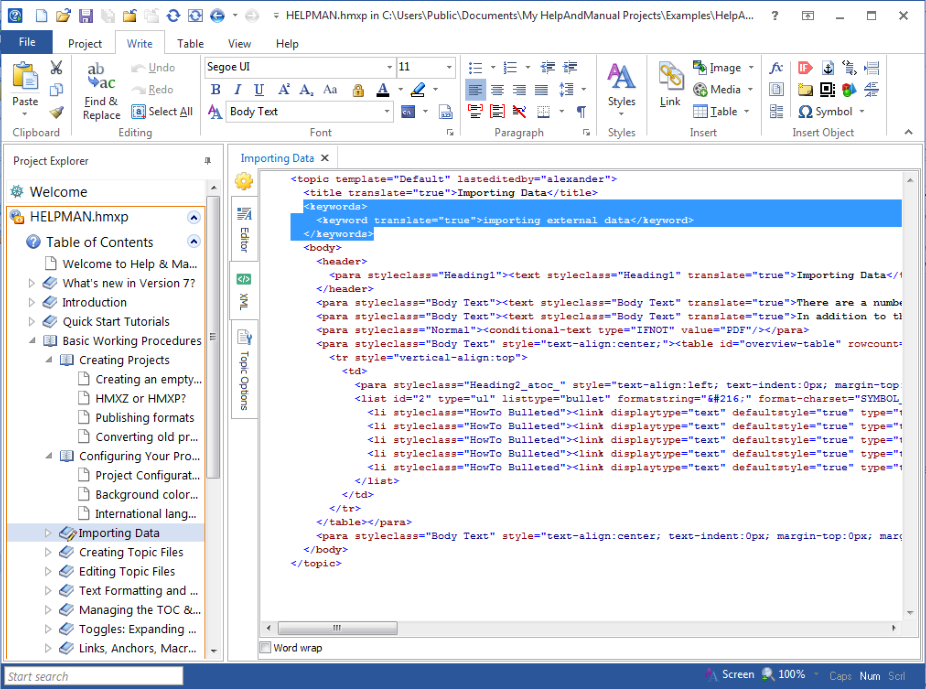
| Edit XML sources directly Sometimes you might want to modify the underlying XML sources directly. |
 | |||
| Uncompressed XML data sources Help+Manual uses uncompressed XML as project file format. The XML data source can be translated with external translation tools. It can also be created and maintained by 3rd party applications outside Help+Manual. |
||||
| Unicode support Full Unicode support, meaning you can create help files in up to 106 languages, including Asian languages. |
||||
| Localization support Project synchronization and the option to save a project in uncompressed XML format make translation with external tools easy. |
||||
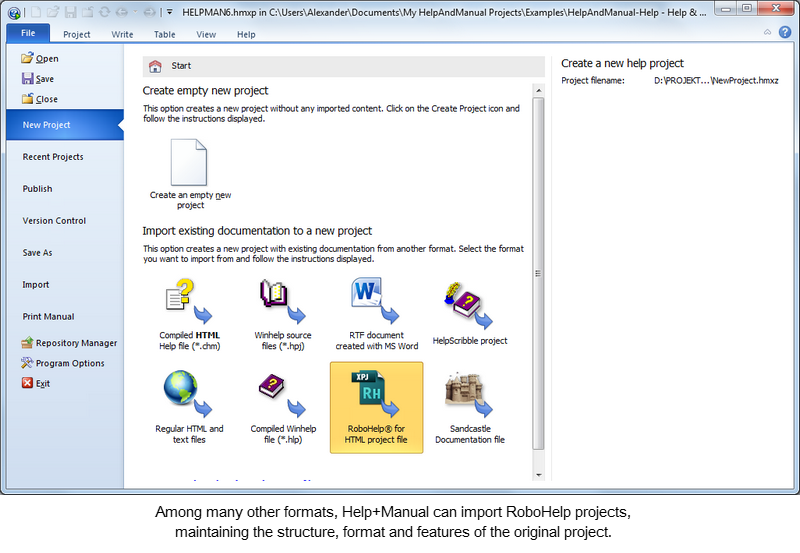
| RoboHelp® Import Help+Manual directly imports RoboHelp® project files. |
 | |||
| Author-It® Import Help+Manual directly imports Author-It® project files. |
||||
| Template Support Use and modify HTML templates for topics pages, layout templates for PDF and print, skins for e-books and browser-based help. |
||||
| Export with skins Use predefined HTML skins to export your documentation with professionally designed layouts at a mouse click. |
||||
| Create user defined skins Customize existing HTML skins or create your own. |
||||
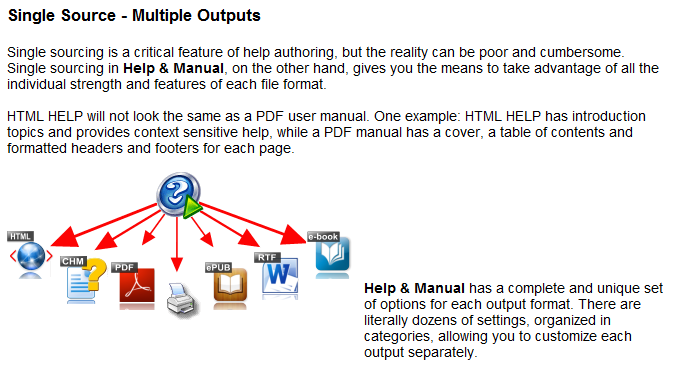
| Single source Help+Manual creates all output formats (see below) from one single source without post-processing. |
 | |||
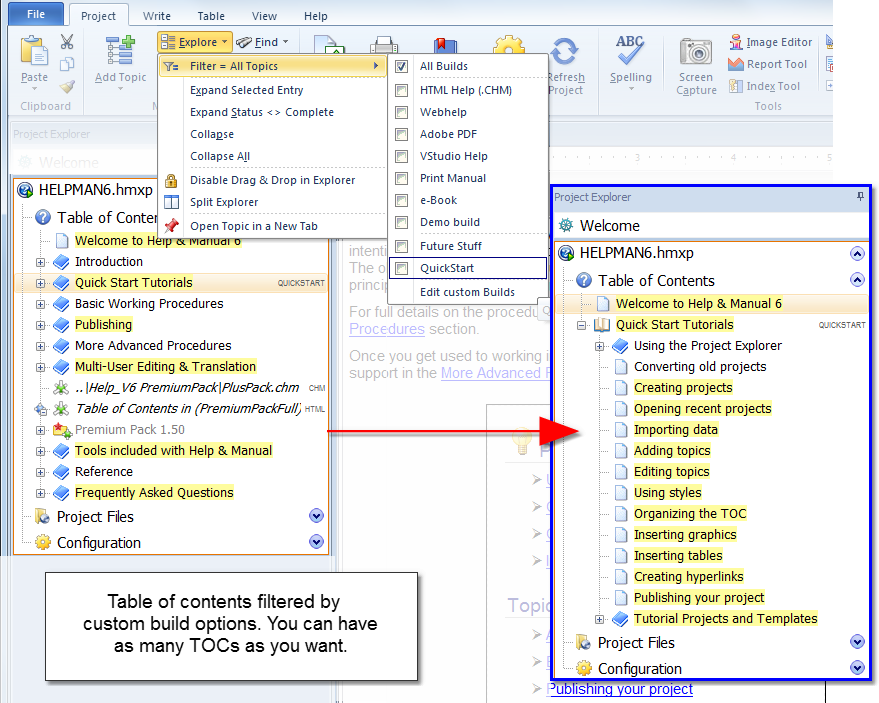
| Conditional Output Include/exclude conditions are supported for chapter, topic and text level. You can customize the export with an unlimited number of user defined builds. |
 | |||
| Text Variables In addition to include/exclude options on text level, use predefined text variables or create your own. |
 | |||
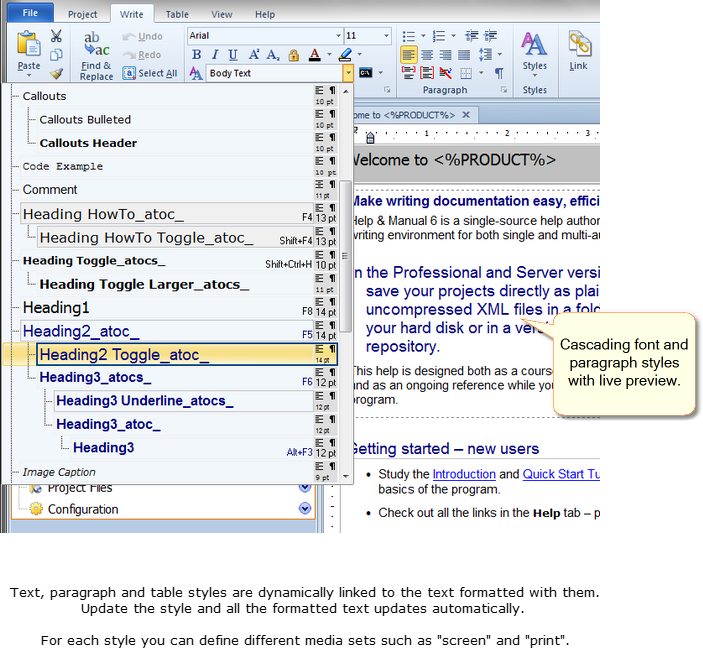
| Dynamic cascading styles Use text, paragraph and tables styles to format the content. All styles support different media types for screen and printed outputs. |
 | |||
| Integrated hotspot editor Help+Manual has a built-in hotspot editor for graphics with dedicated support for topic links, external links, file links and macros. |
||||
| Comments and bookmarks Add design time comments anywhere in topics and bookmark topics for later review. Topics also support a topic status, to highlight, filter or sort topics. |
||||
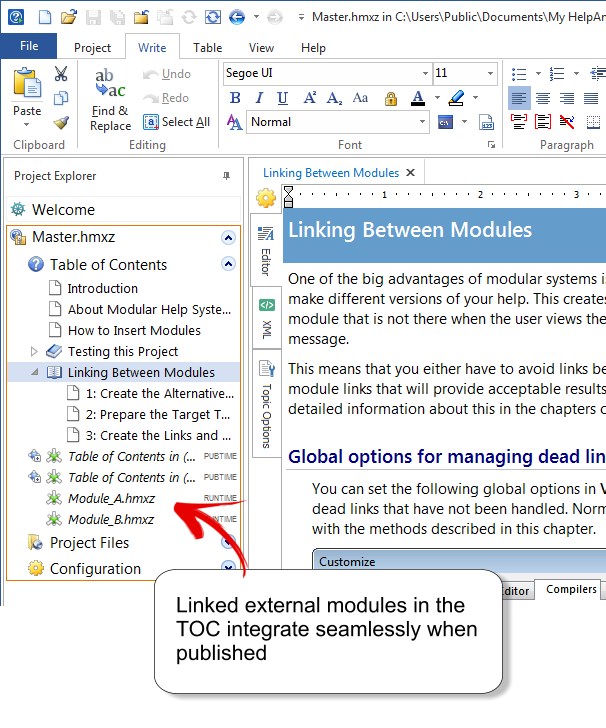
| Modular help Seamless integration of multiple projects into each other and merged ouput. Runtime merging is optionally possible if supported by the output format. |
 | |||
| Repositories Create and manage repositories for snippets and styles. A repository is a special kind of Help+Manual project that is used to share styles and snippets between multiple projects. |
||||
| Version control (built-in and external) Help+Manual Floating/Professional has active support for Subversion, Microsoft Team Foundation Server, Microsoft Visual SourceSafe compatibles. The built-in "simple" version control keeps a history list of topics for easy comparison and restore. |
||||
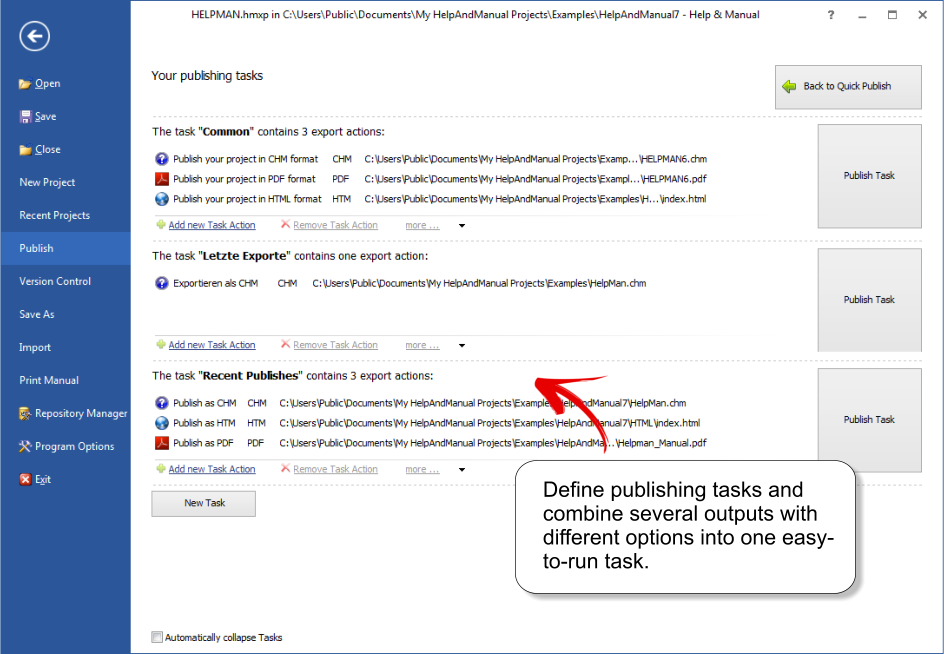
| Publishing Task In addition to publishing your project to a single output format, you can also define "publishing tasks" with a list of multiple output formats and versions of your project. Once you have got a task set up, you just need to select it to perform all the predefined publishing operations in one automated process. |
 | |||
| Output Formats | Floating | Pro | Basic | |
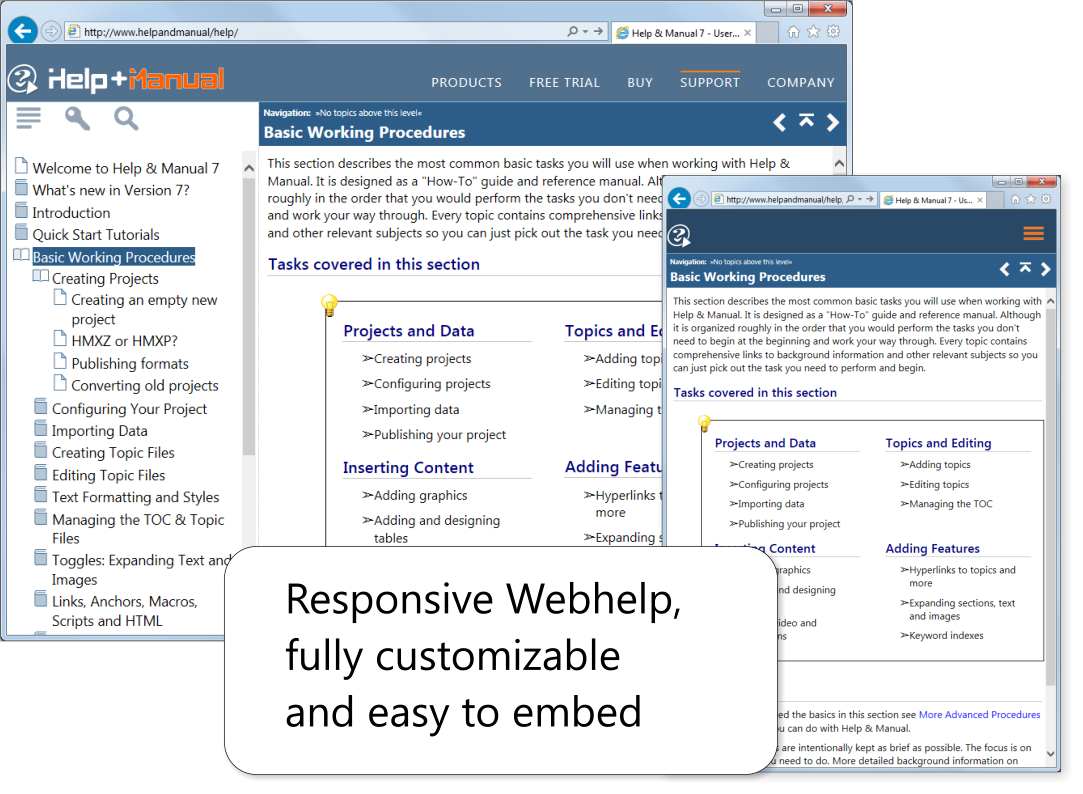
| Webhelp Platform independent HTML with Javascript, includes navigation elements with table of contents and keyword index. The Webhelp layout is fully customizable. |
 | |||
| Webhelp with full-text search Platform independent Webhelp with integrated full-text search. |
||||
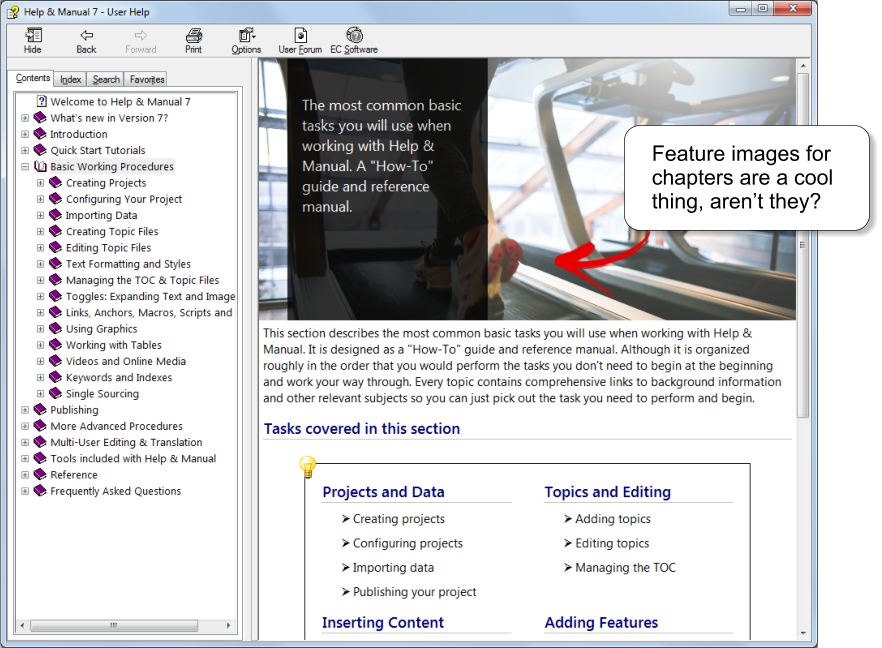
| HTML Help (.chm) Compiled HTML Help, the standard Windows help format. |
 | |||
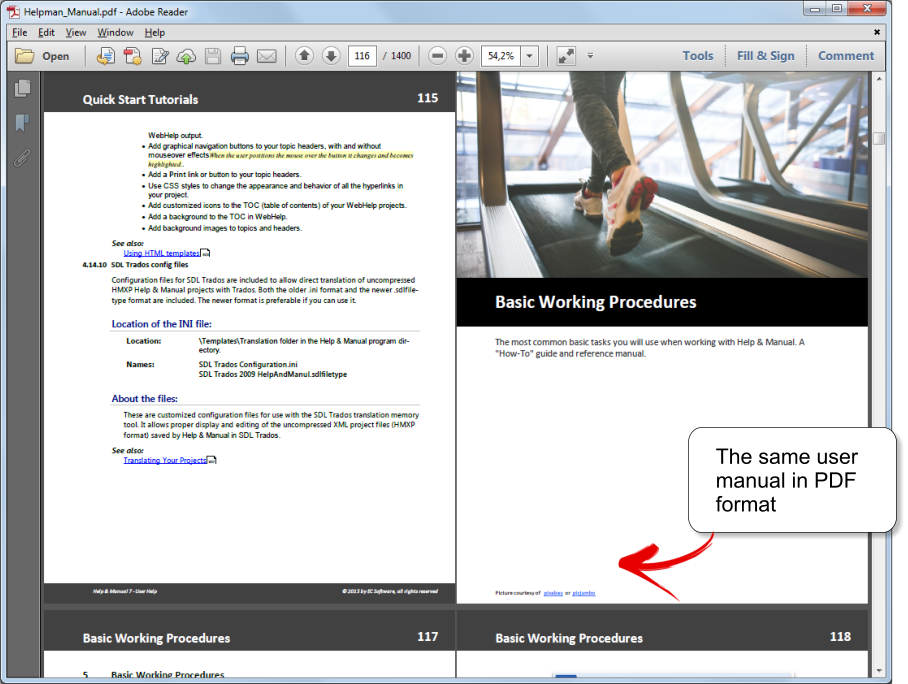
| Adobe PDF Built-in PDF engine with visual layout designer. |
 | |||
| Microsoft Word User manual Microsoft Word (DOCX) format. |
||||
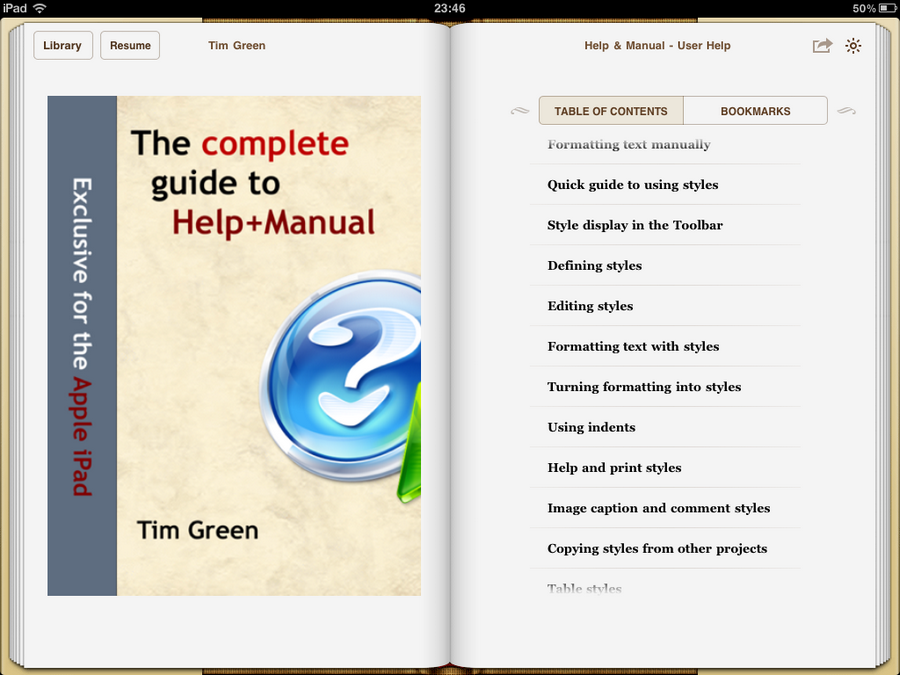
| ePUB eBooks Publish directly to the Apple iPad and many other e-book devices using the ePUB standard (optimized for iPad). |
 | |||
| Amazon Kindle eBooks Publish for Amazon Kindle reading devices and get your eBook into the Amazon digital bookstore! |
| |||
| Visual Studio Help Compiled HTML Help format, mandatory for software component documentation in Visual Studio and other development tools. |
||||
| eWriter e-books Single-file WebHelp with an easy-install viewer for Windows and MacOS. |
||||
| Print Manuals Direct printing of user manuals formatted with a visual layout designer. |
||||
| Tools Included | Floating | Pro | Basic | |
| Plugin System The plugin system extends the basic functionality of Help+Manual. Currently available are a PDF Review plugin and a DeepL Automated Translation plugin. 3rd party plugins may be added in the future. |
||||
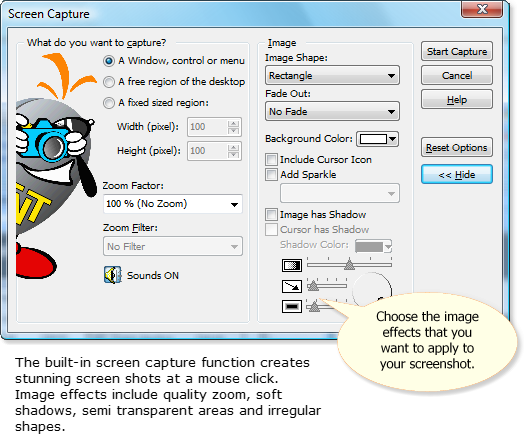
| Screen Capture and Screencasts The built-in screen capture tool creates screenshots and animated screencasts. |
 | |||
| Image Editor Use the integrated image editor to resize and enhance screenshots, add annotations, callouts and text. |
 | |||
| Keyword Index Tool An interactive keyword index tool helps you design the index. |
||||
| Synchronization Tool Quickly synchronize two help projects and update changes in language pairs. |
||||
| Context Help Tool Support for context sensitive help is fully integrated. Help+Manual additionally can export and import help context number maps. |
||||
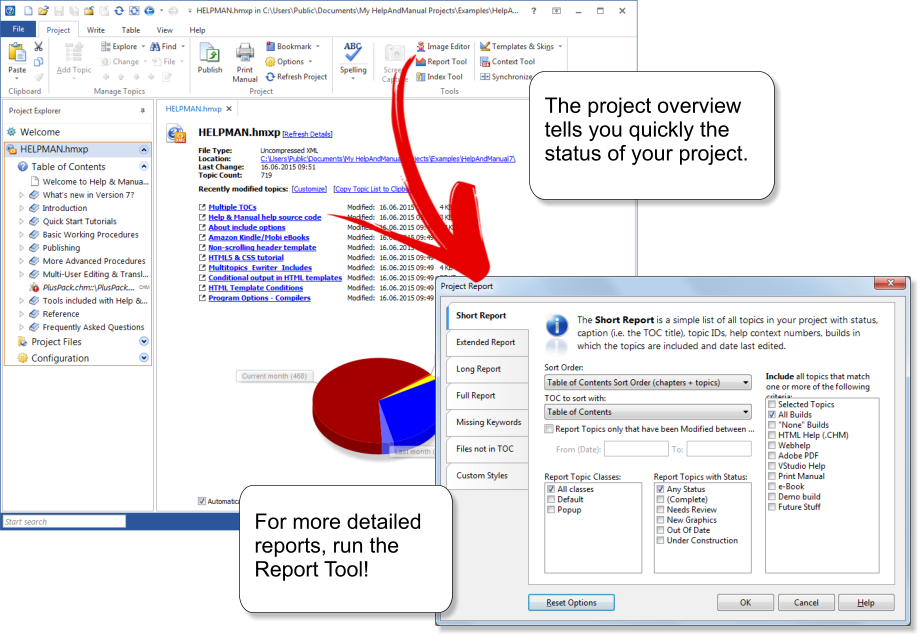
| Project reports Extensive reports document the status of your help project. |
 | |||
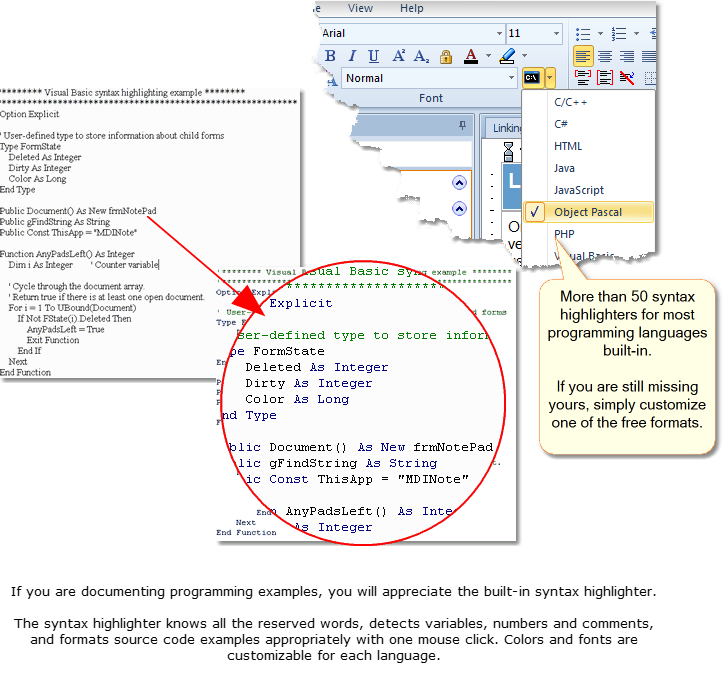
| Syntax highlighter Quickly format source code examples with syntax highlighting for more than 50 programming languages. |
 |